Creating videos from photos using AI has become incredibly simple in 2026. What once required complex video editing software can now be done in minutes with AI tools. These tools can animate images, add voiceovers, apply lip sync, and generate full talking videos from just a single photo. Whether you want to create social media content, YouTube videos, or marketing material, AI makes the entire process fast, affordable, and beginner-friendly.
What Does It Mean to Make a Video from Photos Using AI?
Making a video from photos using AI means converting static images into dynamic video content using artificial intelligence. These tools can animate faces, add transitions, generate voiceovers, and even sync lips with speech. Users can simply upload a photo, add text or audio, and the AI creates a complete video automatically. This technology is widely used for storytelling, marketing, education, and faceless content creation.
Benefits of Using AI to Create Videos from Photos
AI-powered tools offer several advantages over traditional video creation methods. They save time by automating editing and animation. They reduce costs by eliminating the need for cameras, actors, and editing software. They are easy to use, even for beginners. AI tools also support multiple languages, making it easier to create global content. Additionally, they allow creators to produce high-quality videos quickly and consistently.
Also, Read: Best Image to Video with Lip Sync Tools in 2026
Best AI Tools to Make Video from Photos in 2026
Zoice
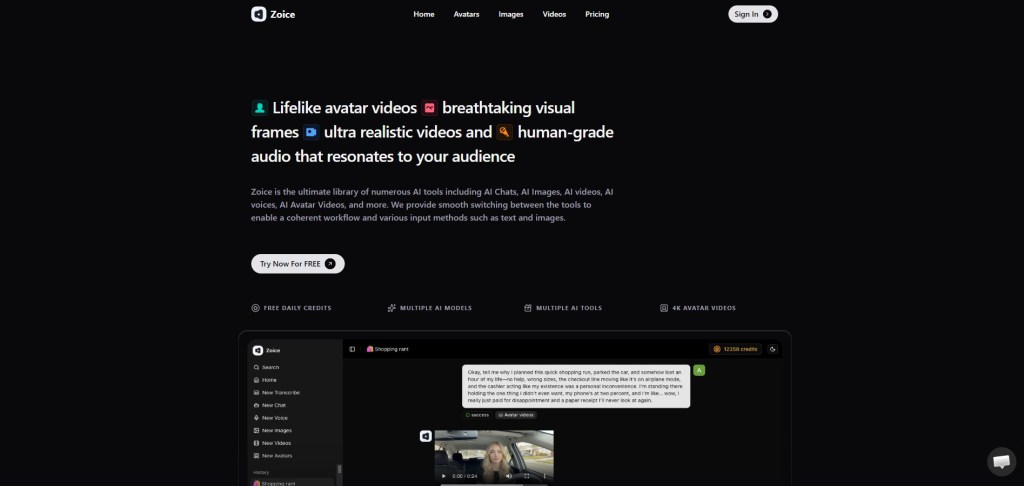
Zoice is one of the best AI tools in 2026 for turning photos into talking videos. It offers advanced lip sync, facial animation, and AI voice generation, making it ideal for content creators and marketers.
Zoice is widely used for YouTube automation, marketing campaigns, and social media content. Its powerful AI ensures realistic animation and natural speech delivery.
Key Features
- Convert photos into talking videos instantly
- Highly accurate lip sync and facial animation
- AI voice generation with multiple styles
- Beginner-friendly interface
- Fast rendering
Pricing
- Free: $0/month (50 credits/day)
- Starter: $7.99/month (4K credits)
- Basic: $29.99/month (17K credits)
- Creator: $49.99/month (30K credits)
- Agency: $89.99/month (50K credits)
HeyGen
HeyGen allows users to create talking videos from photos, text, or audio. It is popular for marketing and professional video content.
Key Features
- Create videos from images and scripts
- Supports multiple languages
- Realistic avatars
- Easy-to-use interface
D-ID
D-ID specializes in turning photos into talking videos with realistic facial animation. It is widely used for storytelling and business presentations.
Key Features
- Animate photos into videos
- Text-to-speech integration
- Realistic lip sync
- API support
Canva AI
Canva offers AI-powered tools to create videos from images with animations, transitions, and voiceovers. It is ideal for beginners.
Key Features
- Drag-and-drop interface
- Image-to-video templates
- Built-in editing tools
- Free plan available
Also, Read: Top 5 Image to Speaking Video AI Tools in 2026
Pictory AI
Pictory AI focuses on converting images and text into professional videos with voiceovers and captions.
Key Features
- Convert images into video stories
- Automatic captions and voiceovers
- Easy editing tools
- Cloud-based platform
Step-by-Step: How to Make a Video from Photos Using AI
Step 1: Choose an AI Tool
Select a tool like Zoice, HeyGen, or Canva depending on your needs.
Step 2: Upload Your Photo
Upload a clear image with good lighting and a visible face if you want a talking video.
Step 3: Add Text or Audio
Enter your script for AI voice generation or upload your own audio file.
Step 4: Customize the Video
Adjust voice, language, style, or animation settings if needed.
Step 5: Generate the Video
Click generate and let the AI create your video automatically.
Step 6: Preview and Download
Review the output and download the final video.
Also, See: Best AI Video Generator with Lip Sync in 2026
Tips for Better Results
Use high-quality images with clear facial features. Keep your script natural and conversational. Choose the right voice and language for your audience. Avoid overcrowding the video with too many effects. Test multiple tools to find the best results for your needs.
Use Cases of AI Photo-to-Video Tools
These tools are widely used for social media content, YouTube videos, marketing ads, e-learning, storytelling, and business presentations. They are especially useful for faceless content creators who want to create engaging videos without appearing on camera.
Limitations of AI Video Creation Tools
Free plans often include watermarks and credit limits. Video quality may be restricted compared to paid plans. Some tools may lack advanced customization features. Complex animations may still require manual editing.
Also, Know: Top 5 Best Lip Sync Video Maker Tools in 2026
FAQs
Can I make a video from photos for free using AI?
Yes, many AI tools offer free plans or trial credits to create videos from photos.
Do I need video editing skills?
No, most AI tools are beginner-friendly and require only a few clicks.
Which tool is best for beginners?
Zoice and Canva are great for beginners due to their simple interfaces.
Can I create talking videos from photos?
Yes, tools like Zoice and D-ID allow you to animate photos and add lip sync.
Can I use these videos commercially?
Yes, but always check the platform’s licensing terms before using them for business purposes.
Conclusion
Making videos from photos using AI in 2026 is easier than ever. These tools allow anyone to create professional-quality videos in minutes without technical skills. Among the available options, Zoice stands out as the best choice due to its realistic animation, powerful features, and flexible pricing. Whether you are a beginner or a professional, AI video tools provide a fast and effective way to bring your photos to life.
 AIToolsHub
Leave a comment