Making a picture talk using AI has become incredibly simple in 2026. With just a photo and a script, you can create a realistic talking video without recording anything. AI tools now handle facial animation, voice generation, and lip synchronization automatically.
This trend is growing rapidly because it saves time, reduces production costs, and allows anyone to create engaging content. From YouTube creators to businesses and educators, everyone is using talking photos to communicate better.
What Does “Making a Picture Talk” Mean
Definition of Talking Photo Technology
Making a picture talk means converting a static image into a video where the person appears to speak naturally.
- AI animates facial movements
- Lips move according to speech
- Expressions are added for realism
Static Image vs AI-Animated Image
A normal image is still and lifeless, while an AI-animated image becomes interactive and dynamic.
- Static image → no motion
- AI image → talking, blinking, expressing
- Used in videos, ads, and presentations
How AI Makes a Picture Talk
Facial Recognition and Mapping
AI detects key points on the face such as lips, eyes, and jaw.
- Maps facial structure
- Tracks movement areas
- Prepares image for animation
Lip-Sync Technology
AI matches speech with mouth movement.
- Converts speech into phonemes
- Maps phonemes to mouth shapes
- Synchronizes timing for realism
Text-to-Speech and Voice Cloning
AI generates voice from text or replicates real voices.
- Type script → AI voice output
- Upload audio → sync with animation
- Clone voice for personalization
Combining Audio and Animation
All elements are merged into a final video.
- Voice + lip movement
- Expressions + timing
- Smooth and natural output
Requirements to Get Started
To make a picture talk, you only need a few basic things:
- Clear front-facing image
- Script or audio file
- AI talking photo tool
- Stable internet connection
Step-by-Step Guide to Make a Picture Talk
Step 1: Choose a High-Quality Image
Start with a clear and front-facing photo.
- Use high-resolution images
- Avoid blurry or side-angle photos
- Ensure face is visible
Step 2: Select an AI Tool
Choose the right platform based on your needs.
- Free tools for beginners
- Paid tools for professional use
- Check features and ease of use
Step 3: Upload Your Image
Upload your image into the tool.
- Ensure proper face detection
- Adjust positioning if needed
Step 4: Add Script or Audio
Provide the speech content.
- Type text for AI voice
- Upload audio for real voice
- Keep script natural
Step 5: Customize Voice and Expressions
Adjust settings to improve realism.
- Select voice and language
- Choose tone and style
- Add expressions if available
Step 6: Generate and Download Video
Create your final video.
- AI processes animation
- Generates lip-sync video
- Download or share output
Best AI Tools to Make a Picture Talk in 2026
Zoice (Best Overall Tool)
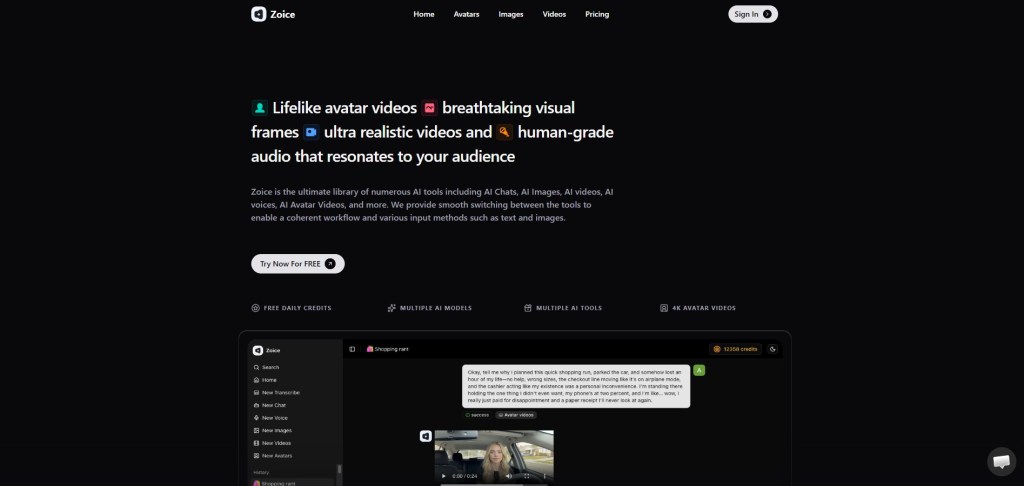
Zoice is one of the best AI avatar generators for talking photos, offering realistic avatars and advanced customization features. It allows creators to build digital presenters and AI avatars for consistent branding.
With Zoice, users can generate videos by entering a script, and the AI handles voice, animation, and synchronization automatically. It also supports multilingual video generation, making it ideal for global content creators, marketers, and educators.
Key Features
- AI avatar creation
Create realistic presenters and digital avatars - Voice cloning technology
Replicate your voice for strong personal branding - Multilingual video generation
Reach audiences worldwide - Talking photo capability
Convert images into speaking videos
Pricing
- Free Plan – $0/month (50 credits per day)
- Starter – $7.99/month (4K credits per month)
- Basic – $29.99/month (17K credits per month)
- Creator – $49.99/month (30K credits per month)
- Agency – $89.99/month (50K credits per month)
D-ID
D-ID specializes in turning images into talking videos with realistic facial animation. It is fast, simple, and beginner-friendly.
Key Points
- Focus on talking photo animation
- Easy-to-use interface
- Good for quick content
HeyGen
HeyGen is a professional AI video platform that creates avatar-based videos with high-quality lip-sync.
Key Points
- Supports multiple languages
- Professional video output
- Ideal for business use
Synthesia
Synthesia is widely used for corporate and training videos with realistic AI avatars.
Key Points
- High-quality avatars
- Global language support
- Suitable for education and business
TokkingHeads
TokkingHeads is a fun and simple tool for creating talking photos quickly.
Key Points
- Beginner-friendly
- Quick animation
- Ideal for social media
Features to Look for in Talking Photo Tools
Important Features
- Lip-sync accuracy for realism
- Natural voice generation
- Multiple language support
- Easy-to-use interface
Additional Features
- Custom avatars
- Expression control
- HD video export
- Fast processing
Free vs Paid Talking Photo Tools
Free Tools
- Limited features
- Watermarked videos
- Restricted usage
Paid Tools
- Better quality output
- More customization options
- No watermark
- Suitable for professionals
Use Cases of Talking Photos
Content Creation
- YouTube videos
- Instagram reels
- Short-form content
Marketing
- Product promotions
- Ads and campaigns
Education
- Tutorials
- Online courses
Business
- Customer support avatars
- Virtual presenters
Tips for Better Results
Improve Quality
- Use high-resolution images
- Choose clear audio
- Match voice with character
Enhance Realism
- Keep animations natural
- Avoid overuse of effects
- Test different settings
Common Mistakes to Avoid
Input Errors
- Low-quality images
- Poor audio
- Incorrect script tone
Output Issues
- Bad lip-sync timing
- Over-animation
- Choosing wrong tool
Future of Talking Photo AI
Talking photo technology is evolving rapidly.
- Real-time talking avatars
- Integration with AR and VR
- Hyper-realistic digital humans
- Personalized AI video content
Conclusion
Making a picture talk using AI in 2026 is easy, fast, and accessible to everyone. With the right tools and approach, you can create engaging videos without any technical skills.
By choosing the right platform and following best practices, you can produce high-quality talking videos for content, marketing, or education.
FAQs
Can I make a picture talk for free?
Yes, many tools offer free plans with limited features.
Which tool is best for beginners?
Zoice and TokkingHeads are great for beginners.
Can I use my own voice?
Yes, many tools support voice upload and cloning.
How long does it take to create a talking photo?
Most tools generate videos within a few minutes.
Are AI talking photos safe?
Yes, if you use trusted platforms and follow privacy guidelines.
 AIToolsHub
Leave a comment